
Your passengers
Book for yourself, or for a guest, a family member or a client. The chauffeur knows who to meet.
Booking for someone else
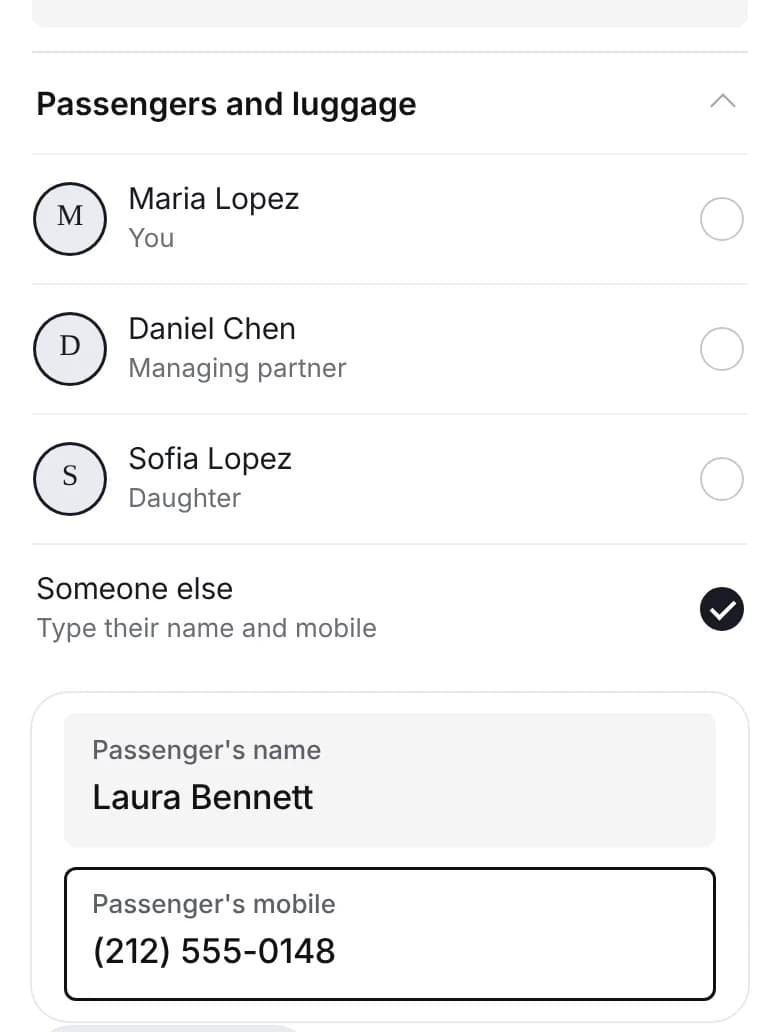
- On the booking page, under "Who is this ride for?", choose Someone else.
- Add the passenger's name, which goes on the chauffeur's pickup sign, and their mobile if you like, so the chauffeur can reach them.
- Ride updates and the receipt come to you, the person who booked.
How many people, and child seats
- Set the number of passengers with − and +, up to 14. Each car shows its seats and luggage space.
- Child seats by type: infant, toddler or booster. Add the ones you need when you book. On Airport, Hourly and Events rides the seats are included in the price; on a One way ride each seat is added to the price.
- Preferences, such as still water or a quiet ride, are saved under Your account and shown to your chauffeur on every ride.
Pictures show the real GeronimoLux app with sample rides and names.