Corporate accounts
Chauffeured travel for your company
Every ride your team takes on one invoice, booked by your assistants and managed online.
Pictures show the real GeronimoLux app with sample rides and names.
1Request your company account
It takes a few minutes at book.geronimolux.com/corporate.
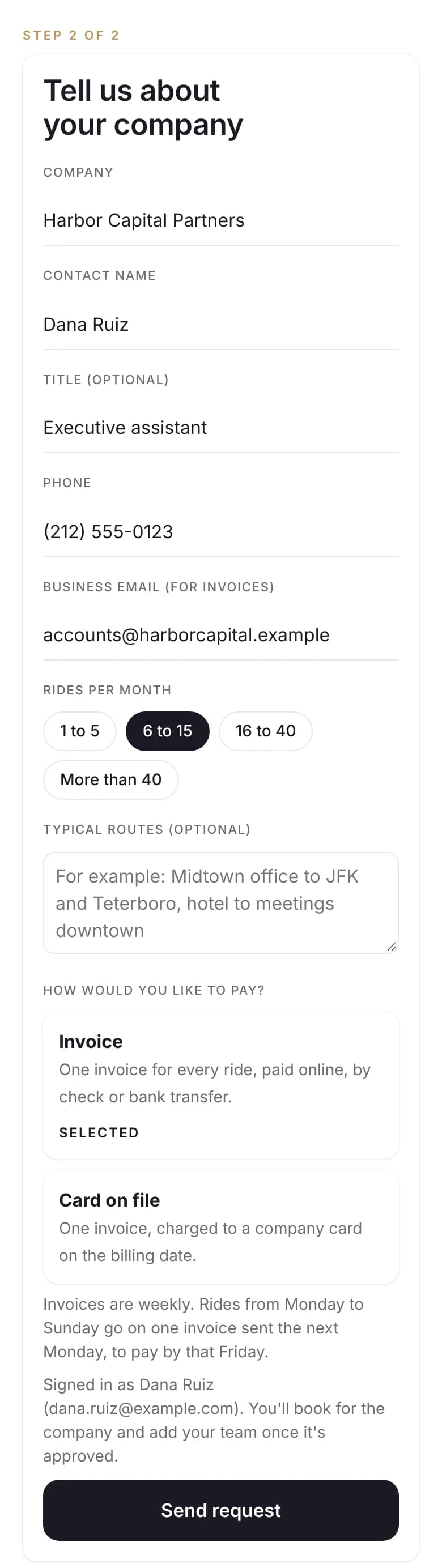
- Sign in with your email. We send a 6-digit code; there is no password.
- Enter the company, a contact name and phone, and the business email where invoices should go.
- Tell us roughly how many rides a month and your usual routes.
- Choose how to pay: one invoice paid online, by check or bank transfer, or one invoice charged to a company card on file. Invoices are weekly.
Our office reviews every request and emails you when it is approved, usually the same day. Until then, rides are paid with your own card, and you add your team once it is approved.
2Who does what
Each person at your company signs in with their own email. There are two roles.
| Bookers | Travelers | |
|---|---|---|
| Who | The person who opened the account, assistants, travel managers | Executives, staff and guests who ride |
| Book rides | For anyone at the company | For themselves |
| See rides | Every company ride | Their own |
| Change or cancel | Any company ride | Their own |
| Company card | Add or change it | No |
| Add people | Yes | No |
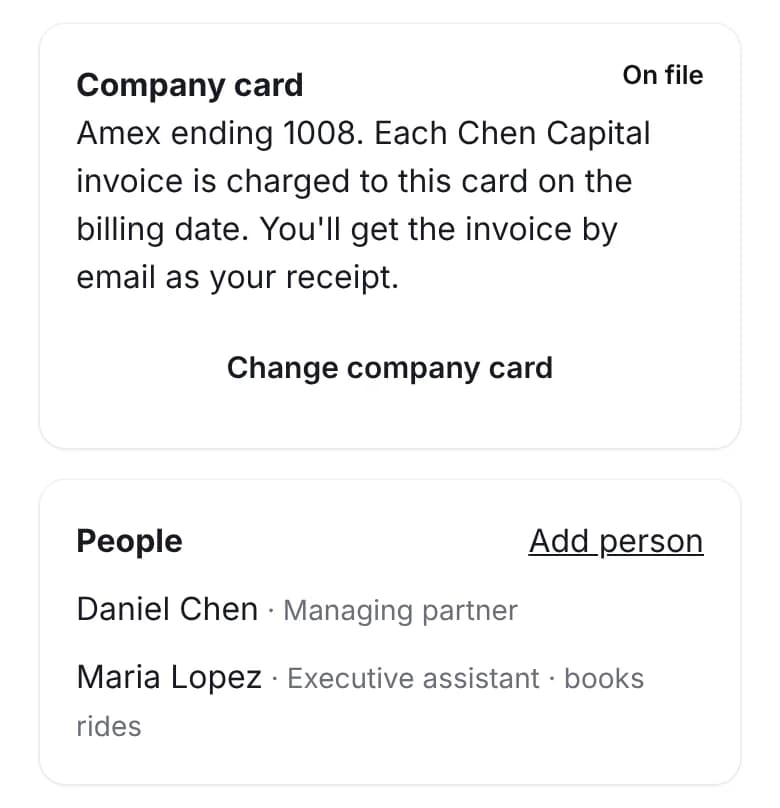
To add your team, open My rides, tap your company's tab, then Add person. Someone who already has a GeronimoLux account is added by our office, so no one can see another client's rides.
3Book for your team
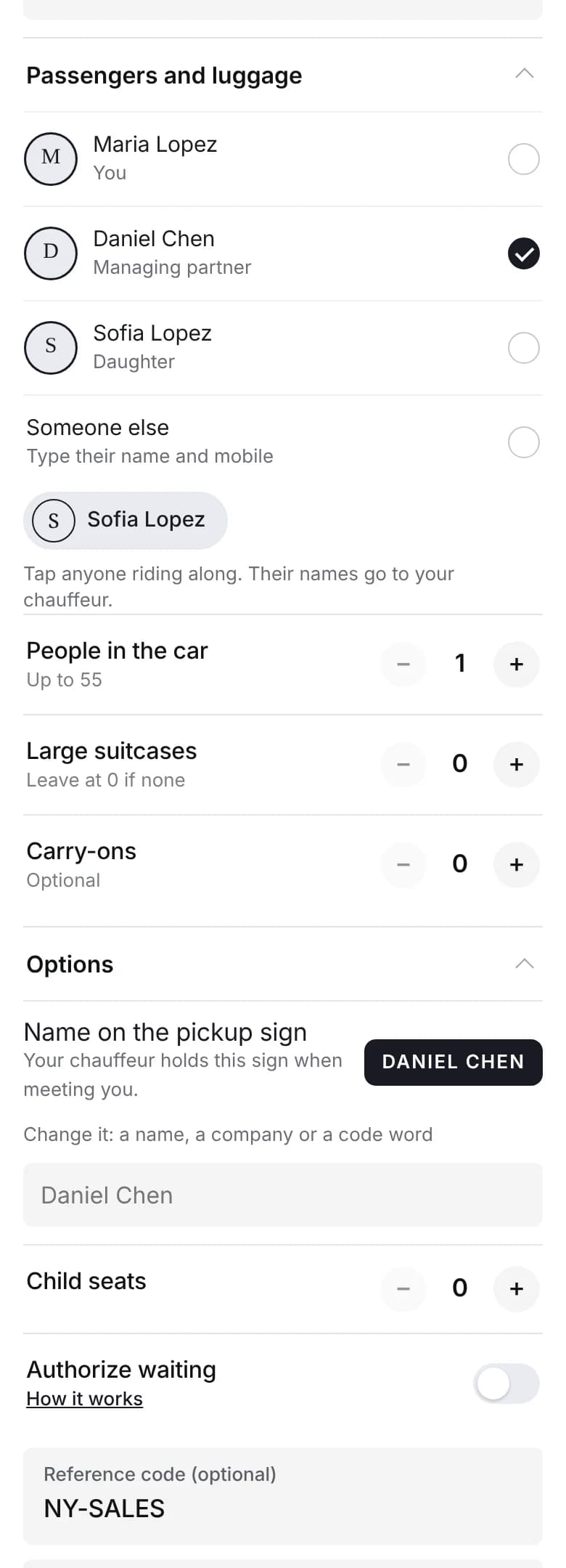
- Under "Who is this ride for?", pick the traveler from your company list. Their name goes on the chauffeur's pickup sign.
- If the traveler has preferences on file, such as still water or a quiet ride, you see them and so does the chauffeur.
- Add a reference code, like a cost center, project or PO number. It prints on the invoice, and your company can make it required.
- Review the price: every company ride is hourly, 2 hours minimum, with the Escalade and the Suburban at one rate. Tolls, sales tax and a 20% gratuity for the chauffeur are included, and there is no card fee. The ride is billed to your company on its invoice, so no card is asked for.
4Manage company rides
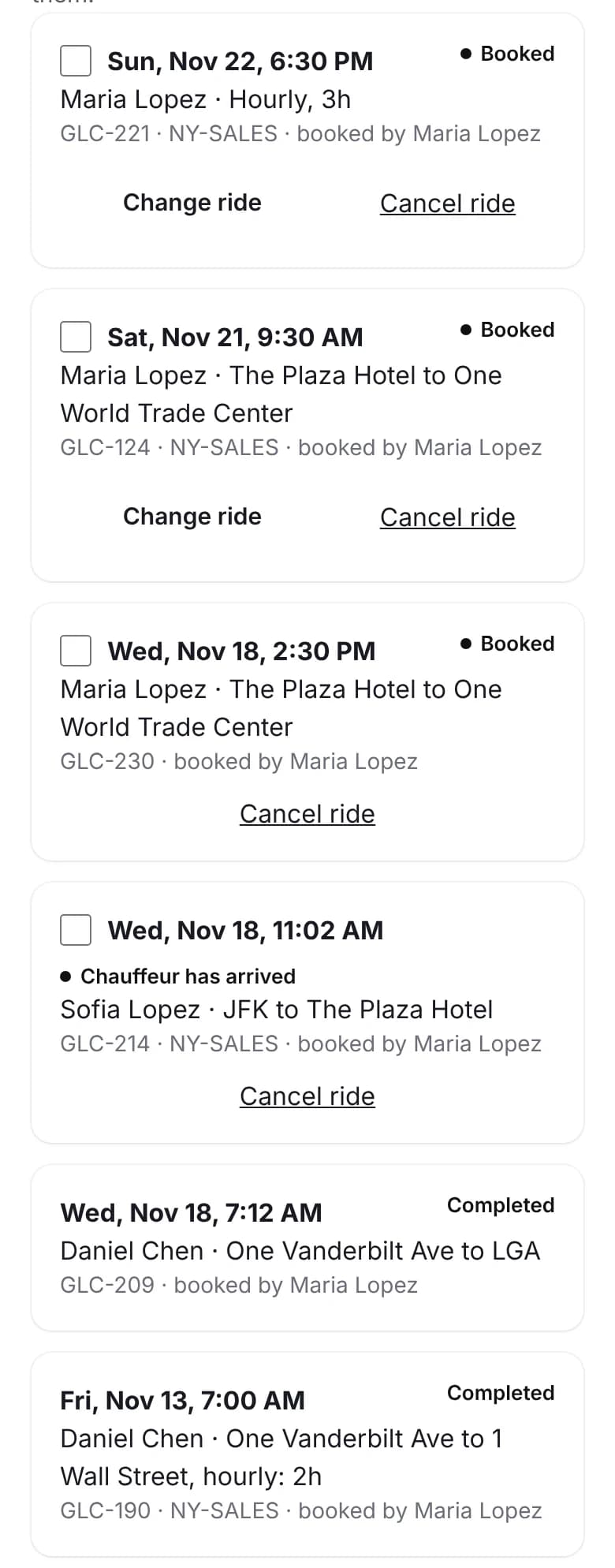
- The company tab in My rides shows every ride at your company: date, traveler, trip, reference code, status and who booked it.
- Bookers can change a ride up to 2 hours before pickup, or cancel it until the traveler is on board. The standard cancellation policy applies.
- Several rides at once: book a group of rides together, and tick rides in the list to change the traveler, car or reference code of all of them, or cancel them, in one go.
- The person who booked the ride gets its updates: confirmation, chauffeur on the way, chauffeur arrived with their phone number.
5Invoices and payment
Finished rides go on one weekly invoice, emailed every Monday.
| Weekly invoice | When |
|---|---|
| Rides on it | Monday to Sunday at midnight |
| Invoice sent | The next Monday |
| Payment due | That Friday |
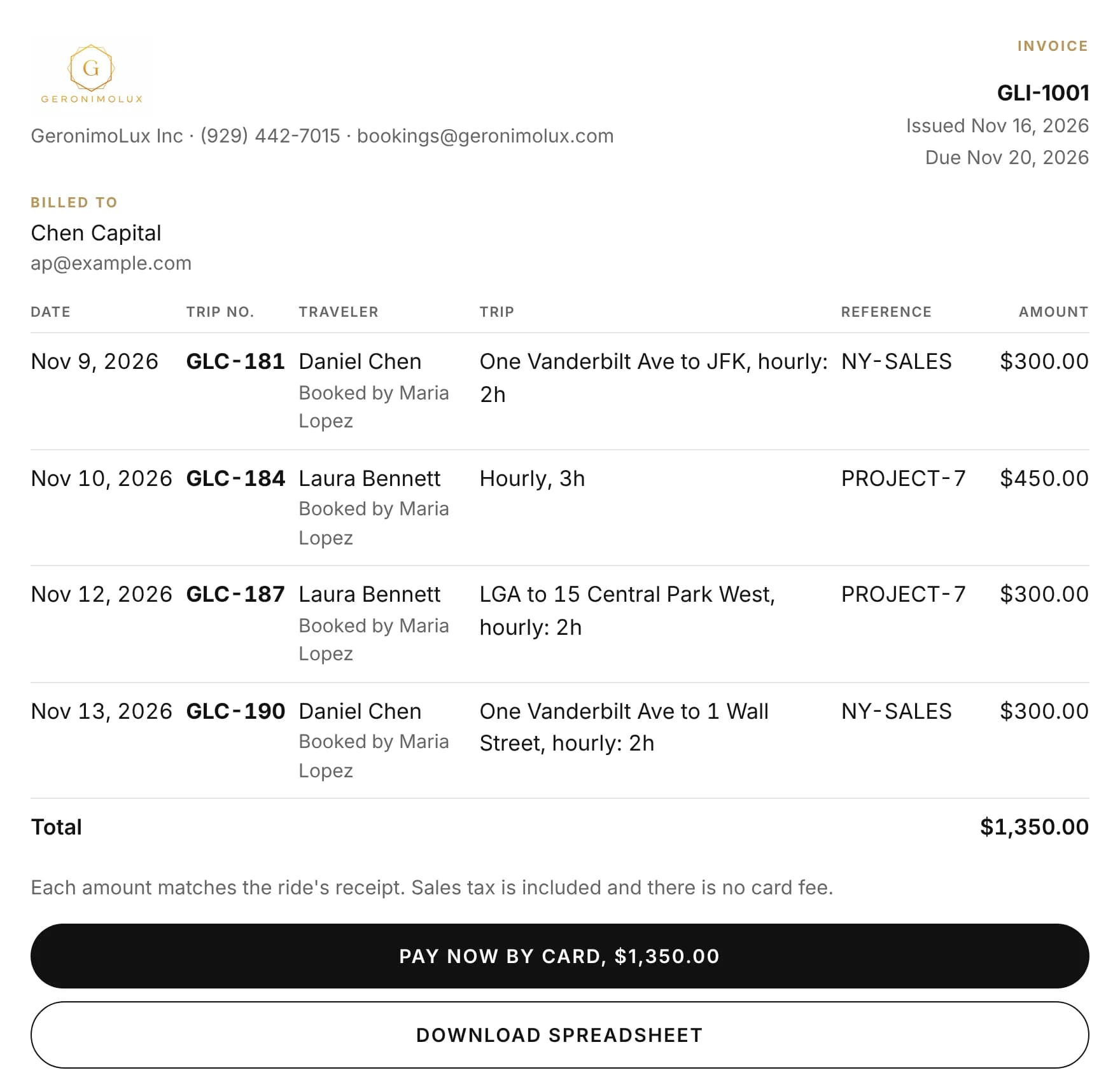
- The email links to a private invoice page listing every ride with its traveler, booker, date, trip and reference code. Each amount matches the ride's receipt: the hourly time, with tolls, sales tax and the 20% gratuity for the chauffeur included. There is no card fee.
- Download a spreadsheet of the invoice for your accounting, or print it to PDF.
- Pay by card on the invoice page, by check or bank transfer, or keep a business card on file that is charged automatically on the billing date.